The AI code review and security platform

Code isn't the bottleneck.
Review is.

Codzee reviews every pull request and merge request on GitHub, GitLab and Bitbucket, and scans your repos for real bugs and security risks, with one-click fixes. Less noise. More signal.
Works with GitHub, GitLab and Bitbucket · 14‑day free trial

New to Codzee? Watch the 3-minute explainer

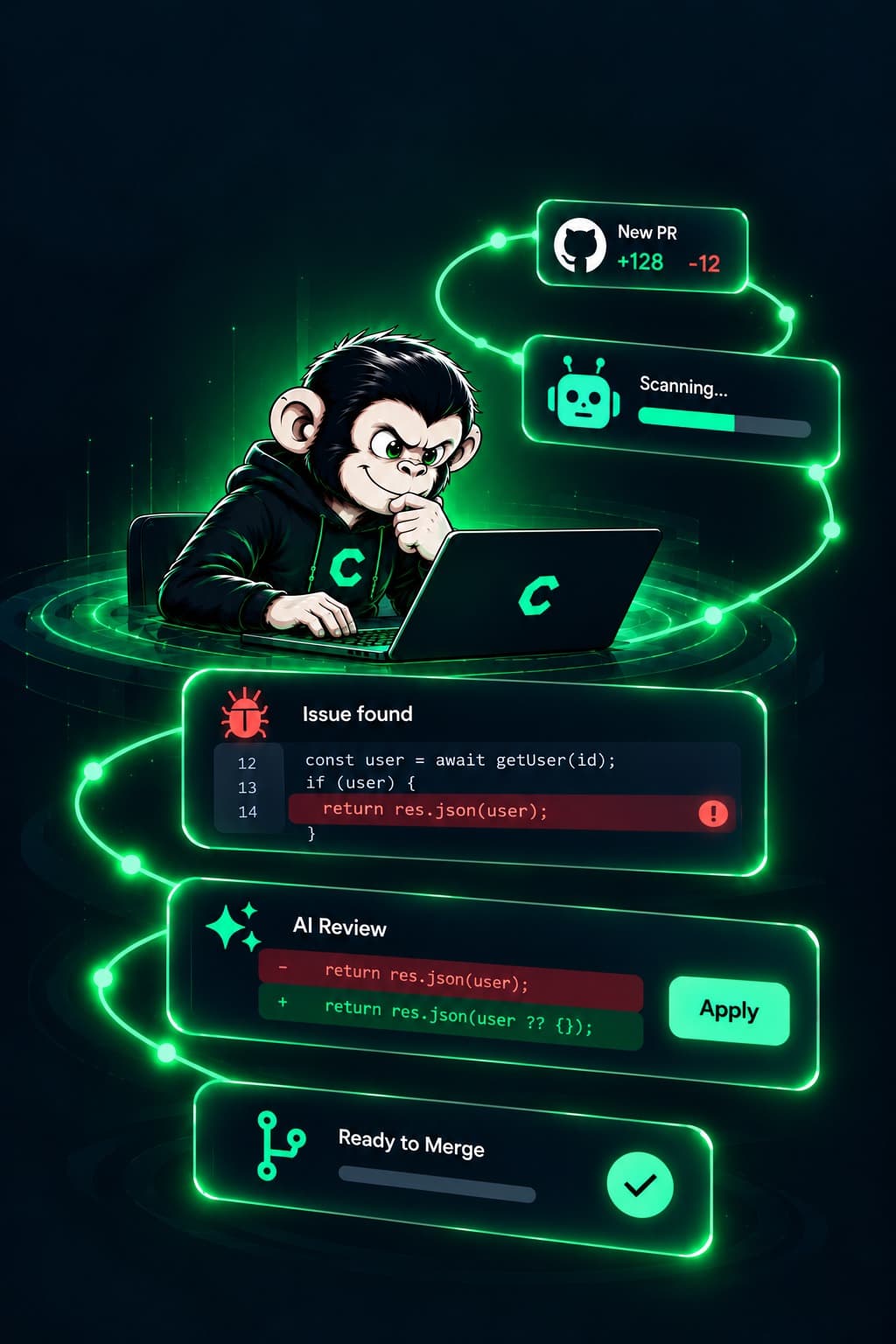
A pull request moving through Codzee: opened, scanned, issue found, AI review with a fix, ready to merge

Trusted by engineering teams at

  • Zixflow
  • Allermetrix
  • Allerim
  • Aspireedge Solutions
  • Trufides
  • Dimaak Tours
  • Thought Mobile Technologies
What makes it different

Not just another bot that flags everything.

Signal filtering, smart routing, a memory that learns from your team, and a dashboard that shows you what's actually happening. All in one.

  1. Each comment names the exact line, explains why it breaks, and carries a suggested change you apply in one click.

Engineering intelligence

Every review adds up.

Each pull request Codzee reviews feeds one view of your engineering team: where risk is building, what's waiting on whom, and how much of your code AI writes. Included on every plan.

Organisation overview

Last 30 days
142PRs reviewed
23Bug / sec findings
4Awaiting review
12Active developers
AI-assisted code
web-app72%
mobile-app58%
payments-api41%
auth-service18%
infra9%
Needs attention
payments-api #212Retry failed refunds1 security
web-app #488Cache session tokenshigh risk
auth-service #97Rotate signing keyswaiting 2d
Know what needs attention

High-risk PRs and reviews waiting too long, in one inbox.

See how much code AI writes

AI-assisted code share for every repo, from commit signatures.

Share a report in one click

Weekly activity and review findings, shareable as a link.

Ask Codzee

Questions about your repos, answered in plain English.

Works where your code lives

GitHub, GitLab and Bitbucket.

The same review on every platform: pull requests on GitHub and Bitbucket, merge requests on GitLab, with security scans, test coverage and a merge check on each.

From early teams

Honest takes from real teams.

We're still early. These are from teams who've been using it for a few weeks.

“The routing just works. We stopped arguing about CODEOWNERS and let Codzee pick. It's right almost every time.”

AA
Arnav A.
Engineering Manager

“We tried a couple of other AI PR tools. Both got muted within a month. Codzee's been on for six weeks and the team still reads every comment.”

MO
Mario O.
VP of Engineering
Pricing

Pay for the developers who use it.

Free for solo developers and open source, or pay per developer on Team. Every review feature on every plan.

→14-day free trial of Team on every install
→No credit card to start
→Bigger team? See Enterprise
Free
$0for solo developers and open source
  • ✓ 30 reviewed PRs a month for one developer
  • ✓ 30 a month on each public repository, up to 60 in total
  • ✓ Every review feature
  • ✓ Up to 10 review rules
Get started free
Most popular
Team
$16/ developer / month, billed yearly
  • ✓ Or $20 per developer, billed monthly
  • ✓ 50 reviewed PRs per developer a month, shared
  • ✓ Security scans
  • ✓ Up to 50 review rules
Start 14-day free trial
From the blog

Benchmarks and notes on AI code review.

All posts

FAQ

Things people ask us.

Does Codzee store my code?
We never keep lasting copies of your repositories. Codzee reads each pull request's changes to review them, sending them to our AI provider for that review. A security scan copies the repository at one commit into an isolated sandbox, which is deleted when the scan ends; its findings and report are kept so you can act on them. We keep the review itself (comments, which can quote short code excerpts and suggested fixes) plus PR titles and file paths, so your dashboard has history. You can delete a disconnected repository's data from the dashboard at any time.
What access does Codzee need?

On GitHub, the Codzee GitHub App asks for these permissions:

  • Contents: read & write: To read the code in your pull requests. Write is used only to resolve Codzee's own review conversations once their fix is pushed (GitHub requires write for that) and, when an admin asks, to open a fix pull request on a new branch (Fix with Codzee)
  • Pull requests: read & write: To post review comments and request reviewers
  • Issues: read & write: To post the review summary and answer @codzee commands
  • Checks and Commit statuses: read & write: To show the review result on the pull request
  • Actions: read: Only to read the coverage report your CI already produces, so the summary can say how much of a pull request's changes your tests run
  • Deployments: read: Only for Visual review: to find the preview deployment of a pull request, so Codzee can screenshot it
  • Administration: read: Only to read branch protection rules, so approval suggestions match what you already enforce
  • Members: read: To see who is in your GitHub organization and who owns it, so your team list and admin access match GitHub
  • Metadata: read: Required by GitHub for every app: repository names and basic details

Codzee never pushes to an existing branch and never merges. It can't read your repository secrets, and it can't change your workflows or organization settings.

On GitLab, Codzee uses an access token you create, with the api and write_repository scopes, on the projects you choose.

On Bitbucket, Codzee is an app a workspace admin installs, with read and write access to repositories and pull requests.

The full list is on our Security page.

How does reviewer routing work?
We blend four signals: git blame on changed lines (weighted most heavily), recent commits in those files, directory activity, and past review history. Everything decays over 90 days so recent work matters more. There's also a load penalty so the same person doesn't get everything.
What happens when I dismiss a comment?
Reply to a Codzee comment to say why it's intended, and Codzee accepts it, resolves the thread and remembers. On GitHub, deleting the comment teaches it too. We store the pattern in your repo's memory and stop repeating similar feedback. The more you use it the more it fits your team's style.
Does Codzee catch every bug?
No reviewer does, human or AI. Codzee flags what it's confident about and says when it couldn't finish a review, but it can miss issues or be wrong. It's a second pair of eyes, not a replacement for your own review, tests or security audits.
Does Codzee work with GitLab and Bitbucket?
Yes. Codzee reviews pull requests on GitHub, merge requests on GitLab.com and pull requests on Bitbucket Cloud, with the same review, security scans and dashboard on each. Self-managed GitLab, Bitbucket Data Center and Azure DevOps aren't supported yet.
How is Codzee different from CodeRabbit or Greptile?

Codzee posts only the findings it's confident about, keeps each comment short, and learns from the ones your team dismisses. It also routes each pull request to the reviewer who knows the code best, suggests fixes you apply in one click, and reads your test files, so a test that passes for the wrong reason gets flagged too.

Beyond pull requests, it scans whole repositories for leaked secrets and vulnerable packages, rates each finding with CVSS and CWE in a PDF report, and can open a fix pull request for a vulnerable npm package. The dashboard shows what needs attention and how much of your code AI writes.

On 20 public pull requests with 230 planted bugs, Codzee found 190, Greptile 152, CodeRabbit 140 and CodeAnt 112, and we show the rounds it lost. See Codzee vs CodeRabbit and Codzee vs Greptile.

Do you charge per developer?
On Team, yes: $20 per developer a month, or $16 billed yearly, with 50 reviewed pull requests per developer a month, shared by the whole team. Solo developers and open source projects use Free. Every install starts with a 14-day free trial of Team.

Ship with confidence. Without the noise.

Your first review arrives within minutes of installing.

Start free trial

14-day free trial · No credit card · Free for solo developers and open source